Next Lite
Compatibility:
Processor:Intel I AMD
OS:Windows 10 I 11
Game mode:Frameless
Graphics card:Nvidia I AMD
Spoofer:Built in
Information:Secure boot disabled
Features
Triggerbot
- •Enable
- •Triggerbot shoot only while ADS
- •Triggerbot Shot Delay
- •Triggerbot Max Distance
Combat/Weapon settings
- •No Recoil (Customizable recoil %)
- •No Spread (Customizable spread %)
- •No Sway
- •Instant ADS
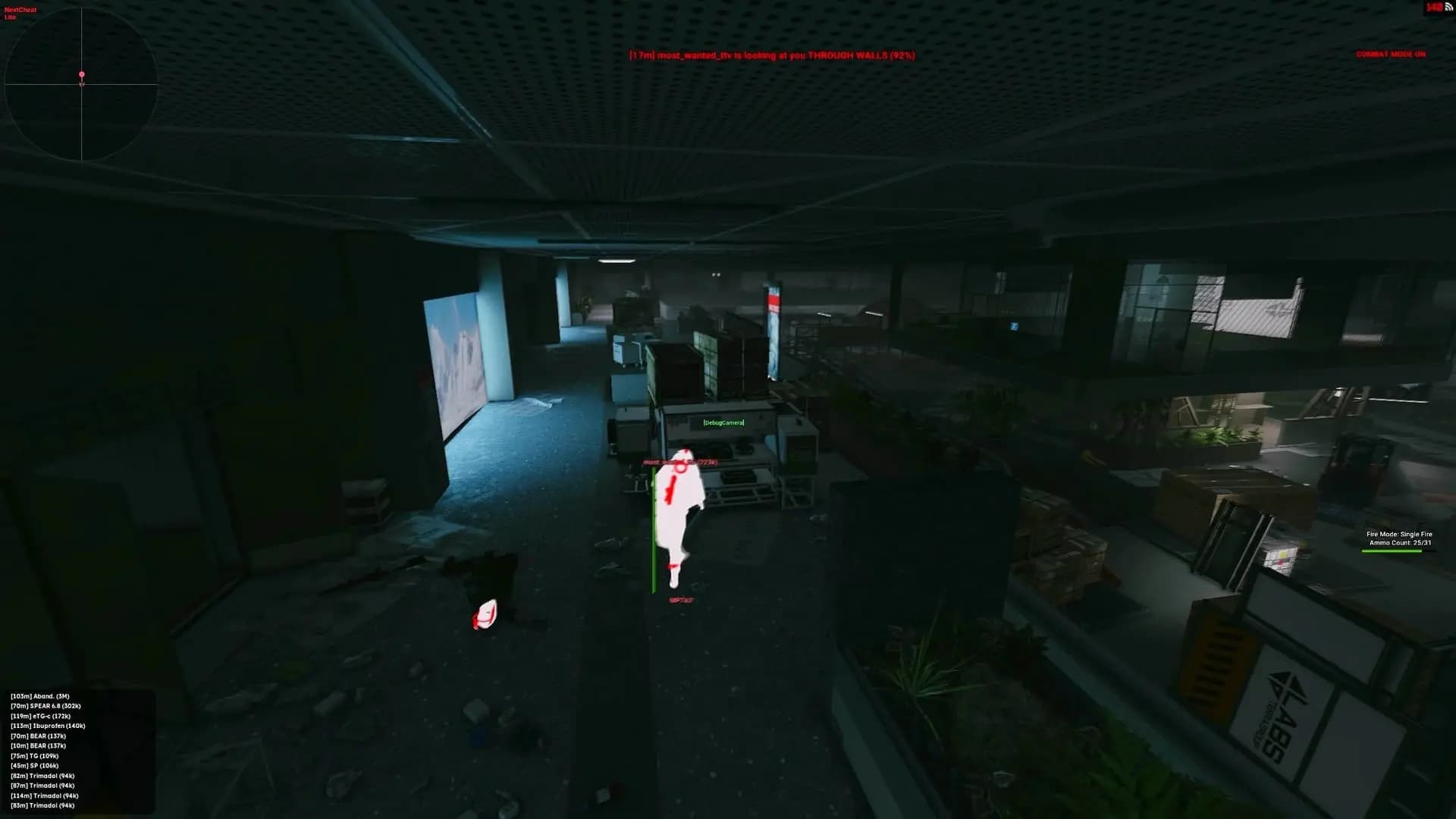
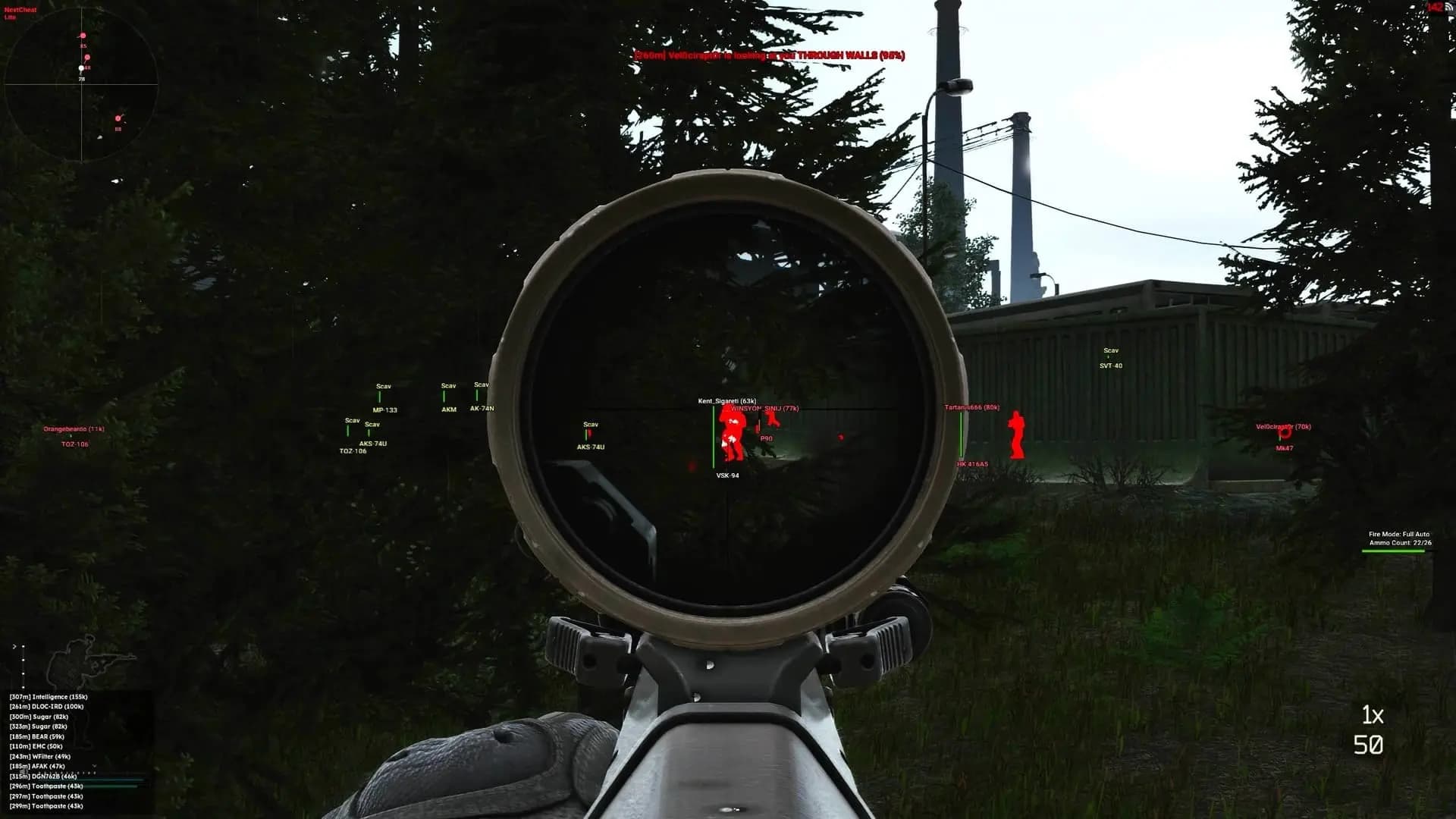
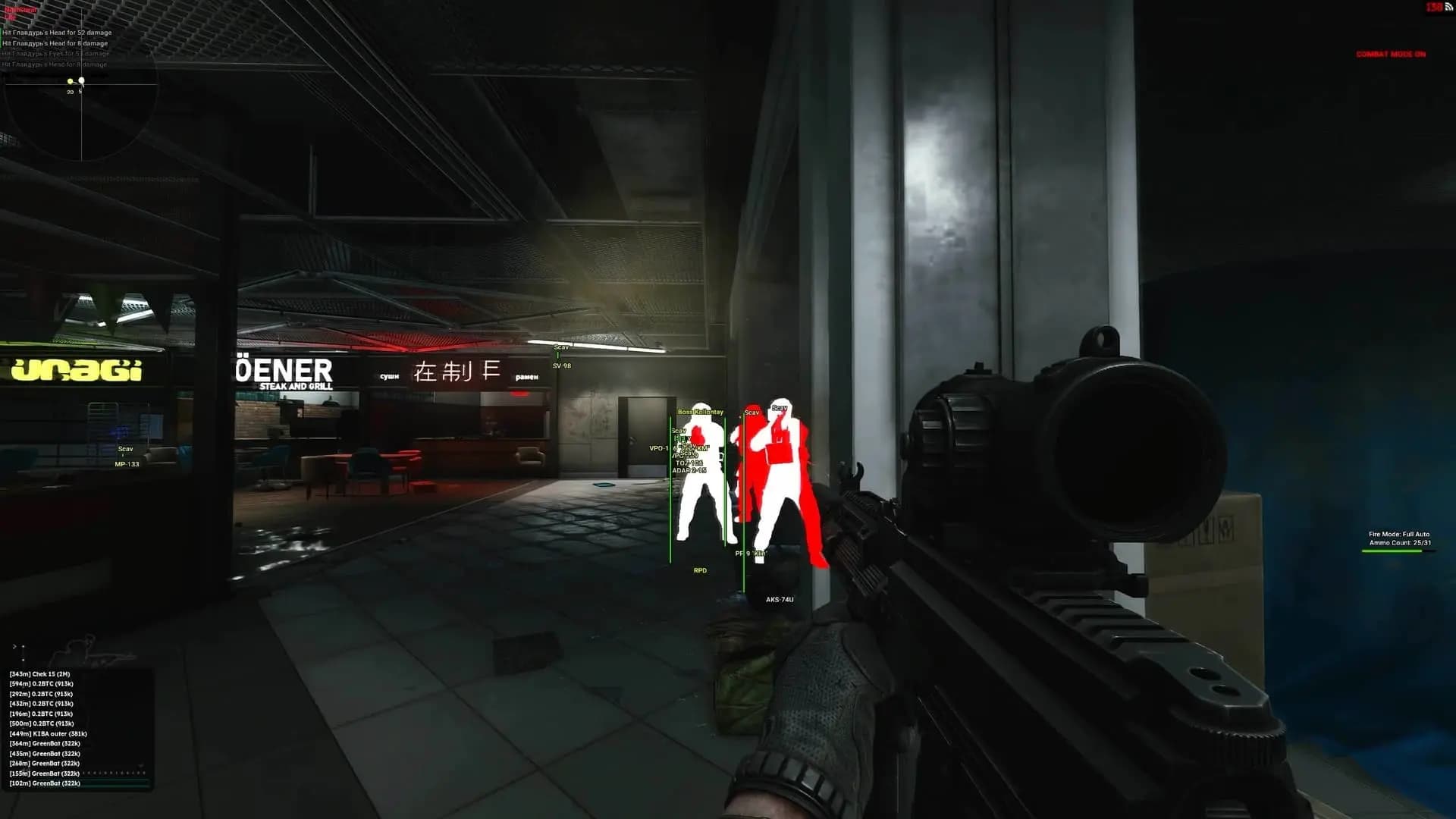
Player / Scav ESP
- •Player / Scav Weapon
- •Enable Player / Scav ESP
- •Player / Scav Names
- •Player / Scav Distance
- •Player / Scav Value
- •Player / Scav Health Bar
- •Player / Scav Health Text
- •Player / Scav Skeleton
- •Player / Scav Box (Cornered / Full)
- •Player Stats (KD / Level / Hours)
- •Important Player Flags (Streamer / Sherp / Dev)
- •Draw Teammates
- •Max Draw Distance
- •Player / Scav Visible Color
- •Player / Scav Invisible Color
- •Teammate Color
- •Team ID (Show teammates of other players)
- •Max Elite/Boss Draw Distance
- •Boss Visible Color
- •Boss Invisible Color
- •Elite Visible Color
- •Elite Invisible Color
Loot
- •Enable Loot ESP
- •Use Price Per Slot
- •Enable Tier 1-5 (Enable/disable each loot tier individually)
- •Tier 1-5 Min Value (Minimum value for each tier, allows you to customize value ranges which you want to be drawn)
- •Tier 1-5 Max Draw Distance (Max draw distance for each of the 5 tiers, prevents ESP clutter by making you able to customize exactly what you want to be shown)
- •Tier 1-5 Color (Color for each item tier, allowing you to see an item’s value at a glance)
- •Draw loose loot
- •Container ESP:
- •Container Name
- •Container Distance
- •Container Max Draw Distance
- •Show/Hide locked containers
- •Selectable container types (Only draw certain containers)
- •Container icon (Draw an icon instead of “Container” text, to reduce clutter)
- •Corpse ESP
- •Corpse Name
- •Corpse Value
- •Corpse Distance
- •Corpse Max Draw Distance
- •Show Corpse Items
- •Corpse item FOV (Only show items within containers when looking at them, which helps reduce clutter)
- •Corpse icon (Draw a plus icon on corpses, so you can see the value of a corpse at a glance, as the colors for icons will be based on your tier settings)
- •Important item system (Allows you to mark items as important and force them to show regardless of their value, or force them to be hidden from ESP altogether)
Misc
- •No Visor Effect
- •Night Vision
- •Thermal Vision
- •Debug camera (allows you to move your camera anywhere without moving your player)
- •Debug camera speed
- •KD dropper
- •KD Dropper death limit (Limit how many times you will die before KD dropper automatically stops)
- •Auto suicide (Automatically kills you when you load into a raid, useful alongside KD dropper, no grenades needed)
- •Auto loot (Automatically loot nearby items which match the minimum value)
- •Auto loot min value
Radar
- •Enable 2D radar
- •Draw players on radar
- •Draw scavs on radar
- •Draw look direction line
- •Draw distance on radar
- •Customizable radar size
- •Customizable max distance
- •Customizable radar position
Other
- •Time changer
- •Ammo/Weapon Fire Mode Indicator
- •Chams (Flat, ForceField, Dissolve, Wireframe, Rainbow)
- •Gear Chams
- •Visible Only Chams
- •Visible/invisible chams colors
- •Crosshair (customizable)
- •Grenade ESP
- •Grenade ESP color
- •Valuable item indicator (Shows most valuable items in the current raid, ordered by highest value first, in a separate window)
- •Raid info display (Show data about players in the current raid, including how many players, scavs, player scavs, bosses and elites are left in the current raid, as well as if there are any streamers/devs/sherpas in the raid)
- •Always Clear Weather (Remove rain and similar effects)
- •Exfil ESP:
- •Enable exfil ESP
- •Exfil name
- •Exfil distance
- •Exfil color
- •Quest Helper
- •Show quest items
- •Show quest locations
- •Max draw distance for quests
- •Quest color
PVE Features
- •Flyhack/noclip keybind
- •Flyhack/noclip speed
- •Disable AI (Fully disables AI, they cannot move and their shots will not hit you)
- •Godmode (No fall damage, no mine damage, etc)
- •Flyhack/noclip (Fly anywhere on the map)
- •Force Offline Streets (Force Streets of Tarkov map to be locally hosted, allowing you to use risky/detected and PVE-Only features on it)